Give guests Wi‑Fi and leave the legal burden to the box.
Hotspot-Box puts SMS-verified sign-in, signed Law 5651 logs and an admin panel into one device. It plugs into the modem and access points you already have.
20 seconds for the guest, fully automatic for the records.
One box, two results
Legal logging taken care of
Connection and DNS logs are closed every day, chained with SHA-256, signed with a timestamp and kept for 2 years. They can be verified and exported with one click.
Daily signed archive
Integrity check screen
Automatic off-box copy
Guests connect in 20 seconds
No passwords to hand out or write down. The guest enters the code sent to their phone, accepts the privacy notice and goes online. The same device is remembered next time.
SMS, voucher, e-mail, registered users
A portal in your brand
Speed, time and data quotas
Hotspot-Box in 25 seconds
Watch what the guest sees, and the record kept in the background, in a short animation.
1/5A guest arrives and joins the Wi‑Fi network from their phone.
The same flow in every venue:CaféRestaurantHotelFactoryOfficeMall
Live in four steps
You do not need to be a network specialist.
1
Plug in the box
15 min
Hotspot-Box sits between your modem and your guest network. Your access points stay as they are.
2
Brand the portal
10 min
Pick the logo, colours, background, welcome text and sign-in methods in the panel; preview and publish.
3
Guests sign in with a code
20 sec
The sign-in page opens by itself when a device joins the network. Once the code is verified, the internet opens.
4
Logs sign themselves
Automatic
At the end of the day the archive is closed, signed and stored. All you do is check the green light in the panel.
Where does it sit in your network?
All guest traffic passes through the box, so verification, quotas and logging happen in one place. Your staff network stays separate.
The box behind the modem, the access point in front of the box. The staff network stays on the modem or in its own VLAN.
Guest trafficBox services
A switch between floors and an access point on each floor; the same guest VLAN on every floor. One box, one portal.
Guest trafficBox services
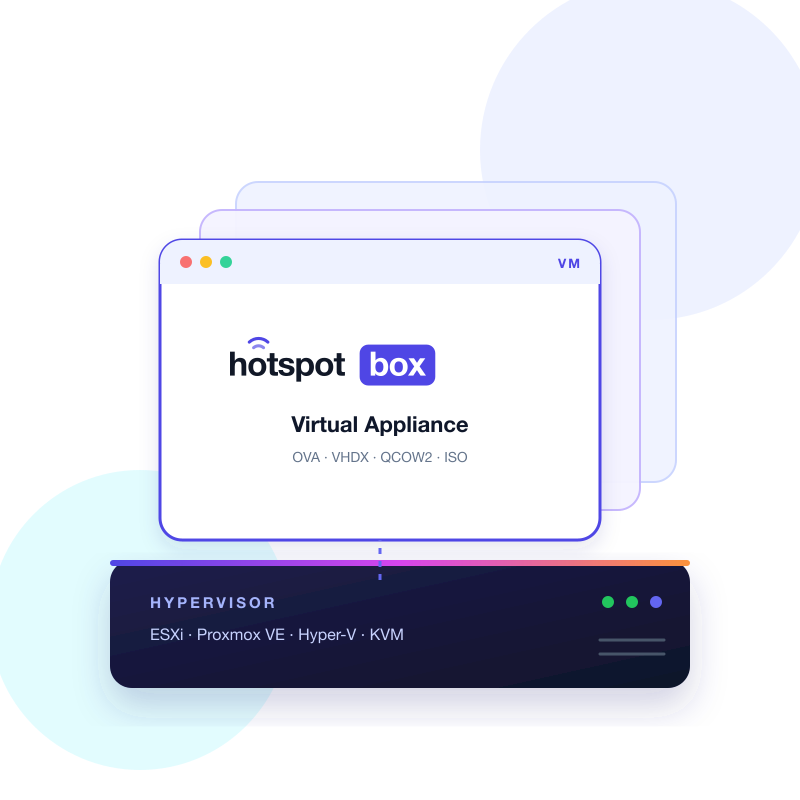
The same software in a virtual machine on your server; two virtual NICs (WAN and guest) are enough.
Guest trafficBox services
Each site has its own box; licence, health and SMS credits on one platform screen. Records stay on each site's own box.
Guest trafficBox services
Works with your firewall and router
Your existing firewall, router and access points stay where they are. Hotspot-Box sits between the modem and the guest network; your device's guest SSID or VLAN is bridged to the box. No vendor-specific integration, plugin or extra licence is needed.
Connects by bridge or VLAN; vendor independent
Login, plan rules and Law 5651 records live on the box; the access point only broadcasts the SSID
Your corporate firewall stays; the box is the guest layer
No extra licence, cloud subscription or software module
Brand not listed? We check it together during discovery
Management panel: the whole operation on one screen
Who is connected, how full the line is, vouchers, portal design and the state of the Law 5651 archive in one panel; it opens on your phone too.
Live sessions: disconnect, throttle, block
Light and dark themes, Turkish and English
Role-based admin permissions and an audit log
An interface that is comfortable on a phone
panel.hotspot-box.local/admin
Control Centre
Overview
The network looks healthy.
Active sessions● LIVE
27
Total download
48,2 GB
Total upload
6,1 GB
Verified today
112
Connection traffic
Sessions over the last 7 days
Dashboard
Active sessions, a 7-day connection chart, the Law 5651 archive strip and health status on one screen.
Live session tracking
Search connected guests; extend, disconnect or block a device. Bulk actions apply instantly through CoA.
Vouchers and event codes
Per-person vouchers, group vouchers for 2–50 devices and event codes for up to 10,000 people. CSV and thermal receipt output.
Branded portal designer
Template gallery, logo, colours, background image or video, privacy notice and preview; published without writing code.
Speed, time and quota plans
Download and upload speed, session and idle time, daily or monthly quota, device count and time window per plan.
Reports
More than 23 report types, hourly traffic, portal funnel; CSV, PDF and HTML export, scheduled e-mail reports.
Health and alerts
Disk, services, certificate, NTP, timestamp and SMS balance are monitored; alerts by e-mail, Telegram or webhook.
Law 5651 archive centre
Signature and timestamp status per day, integrity verification, date-range export and legal hold.
Roles and audit trail
Built-in and custom roles, separate permissions for revealing numbers and exporting, TOTP two-step login, a record of who viewed what and when.
Why Hotspot-Box?
Guest Wi-Fi should not need a separate portal, a separate logging system and a separate firewall; all three come in one box and the records stay with you.
Records stay on your premises
Guest data and the signed Law 5651 archive sit encrypted on your own device; nothing goes to the cloud, to us or abroad.
One-time licence
No monthly per-user fee. Your bill does not grow with capacity; a 7-day trial lets you see it before paying.
Firewall and hotspot in one box
The pfSense-based box works as the firewall directly behind the modem; no second device needed.
Four login methods
SMS code, code over WhatsApp, e-mail code and vouchers. A recognised device is not asked for a code again during the period you set.
Signed and timestamped archive
Each day is chained to the previous one with SHA-256 and gets an RFC 3161 timestamp; verify and export from the panel.
Your infrastructure stays
Routers, firewalls and access points remain; the guest SSID or VLAN is bridged to the box. No extra licences.
Alerts and central monitoring
Disk, services, certificate, clock and SMS balance are monitored; alerts arrive by e-mail, Telegram or webhook. The box is also watched from the platform.
Support without hour quotas
Remote commissioning is included. Support requests are not limited; panel and documents in Turkish and English.
Open pricing, no surprises
Know what you will pay without waiting for a quote.
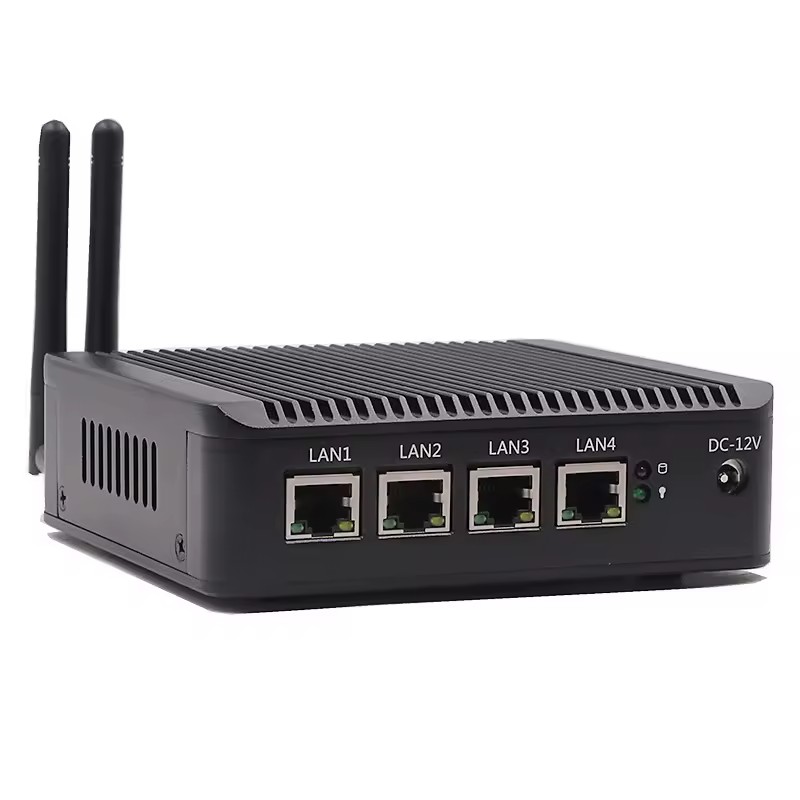
Hotspot-Box at an angle: four LAN ports, 12 V inlet and two antennas
See all features
Box + Software
Hardware and a perpetual software licence together. Install it and own it.
45,000 TL+ VAT · one-time
Hotspot-Box device
Perpetual software licence
All sign-in methods and the signed Law 5651 archive
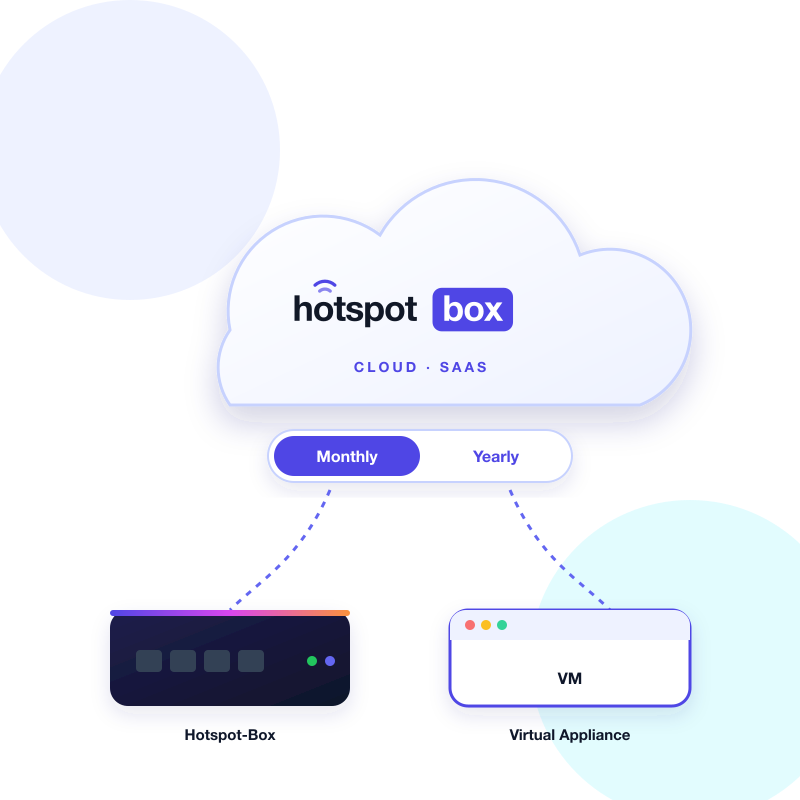
Hotspot-Box SaaS: the cloud, a monthly / yearly switch and the box and VM connected to it
See all features
SaaS
Guest Wi-Fi sign-in without installing a device: your existing router or access points redirect guests to the portal in the cloud. Monthly or yearly subscription; keeps no Law 5651 records.
Monthly or yearlycloud service subscription
Monthly or yearly payment from the cloud panel
No box or VM on site; works with your existing router and access points
Branded portal; SMS code, voucher and e-mail sign-in
Plans, live sessions and reports in the cloud
Keeps no Law 5651 records; for legal records choose the Box or the Virtual Appliance
Hotspot-Box is a network appliance for businesses that offer Wi-Fi to their guests. It verifies the guest with an SMS code, stores internet access logs signed in the way Turkish Law No. 5651 requires, and lets you manage all of it from a web panel.
Does it work with my current modem and access points?
Yes. The box sits between your modem and your guest network. The brand or model of your access points does not matter, as long as guest traffic passes through the box.
How are Law 5651 logs stored?
Connection and DNS records are written during the day, then closed and compressed at the end of it. Each day's SHA-256 digest is linked to the previous one and signed with an RFC 3161 timestamp. The archive is kept for 2 years and can be verified and exported from the panel.
Who sends the text messages, and what do they cost?
There are two options. You can buy SMS credits from us, or configure your own account with a provider such as NetGSM, İleti Merkezi, Verimor or TurkeySMS. In both cases the text goes straight from the box to the provider.
How do foreign guests connect?
A separate SMS provider can be set for foreign numbers. Guests who prefer not to receive a text can sign in with an e-mail code or with a voucher from reception.
How does licensing work?
In the Box + Software package the licence is one-time and tied to the device. You can try every feature for 7 days before buying. Law 5651 logging never stops, even when a trial ends.
What happens if the box fails or its disk fills up?
Disk usage, services and the certificate are monitored all the time, and you are warned by e-mail, Telegram or webhook when a threshold is crossed. The signed archive can be copied every night to a target outside the box, so the records survive a hardware change.
What about personal data protection (KVKK)?
Before connecting, the guest accepts a privacy notice that you can edit, and that consent is recorded. Contact data such as phone numbers and e-mail addresses is stored encrypted on the device, and only the data needed for logging is collected.